Better instructions (example):
> New Scene
> Drag vehicle/FPS into the scene from preset manager.
> Press play/stop; everything will be fine.
> Delete the sceneEntity
> Press play/stop; skyline would crash.
This is now solved.

Thank you for noting this issue.
Note: All users who help in this manner and more, could end up with a free version of skyline when we release.
Statistics: Posted by SolarPortal — 08 Feb 2014, 18:02
]]>
]]>
]]>
]]>
]]>
Things to try:
> Make sure you do not install skyline into program files as windows has problems with this.
> delete the “Skyline.cfg” and all log files in the Release folder, then restart and choose “DirectX 9” renderer, and don’t change any settings.
Do NOT delete the “Plugins.cfg” file as this will break skyline.
> If in doubt of any corrupted files or install, please uninstall and download/reinstall Skyline.
> Do you get the main editor to load up even though the dos console says everything is working?
What will help us find your problem?
> Could you record a video of the problem happening?
As for the icons, this is also strange as they are bundled inside the .exe itself.
This sounds like it isn't installed properly or to the wrong location.
Statistics: Posted by SolarPortal — 07 Feb 2014, 18:39
]]>
Statistics: Posted by antonybae — 07 Feb 2014, 11:42
]]>
sorry to hear about your problems.
from the dos log, everything seems ok, but did you get another window appearing like the one below (make sure it hasn't disappeared behind the main editor)
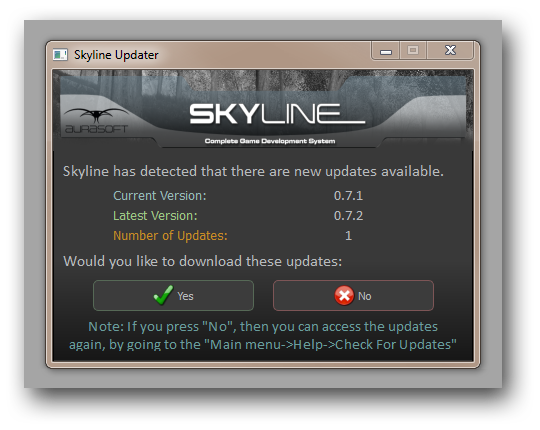
Also make sure to be running as admin, and check if your firewall or anti-virus is not blocking skyline.
i will help you get this working
Statistics: Posted by SolarPortal — 06 Feb 2014, 23:14
]]>
Processor: Intel Core i5-3210m 2.5Ghz with Turbo Boost up to 3.1Ghz;
Video: Intel HD 4000 + Nvidia GeForce GT 630m with 2GB VRAM;
RAM: 8GB;
HDD: 750BG;
Notebook model: Acer Aspire V3-571G;
Well, at this moment i have many bugs and most annoying is that i cant update Skyline engine using autoupdate to latest vesion...
I downloaded "Skyline installer", installed engine and has not received any update messages... If i trying to use "Check for update" im again not recieving any messages(see image)

Statistics: Posted by antonybae — 06 Feb 2014, 22:49
]]>